
AdsPower vs ClonBrowser: Which Anti-Detect Browser Wins?
Nov 18, 2026
Running several Shopify stores from a single laptop used to be a recipe for disaster. Shopify itself doesn’t explicitly ban multi-store ownership, but the ecosystem around it—payment gateways, advertising platforms, and third‑party apps—often flags accounts that share device fingerprints. If your stores get linked, you risk payment holds, ad account bans, or even permanent store suspension. AdsPower fingerprint browser solves this by giving each Shopify store its own isolated digital identity, so you can manage a whole portfolio safely from one device. This guide walks you through exactly how to set up AdsPower for Shopify, automate repetitive tasks, and keep every store completely independent.
Manage Multiple Shopify Stores with AdsPower Fingerprint Browser product interface and feature overview.
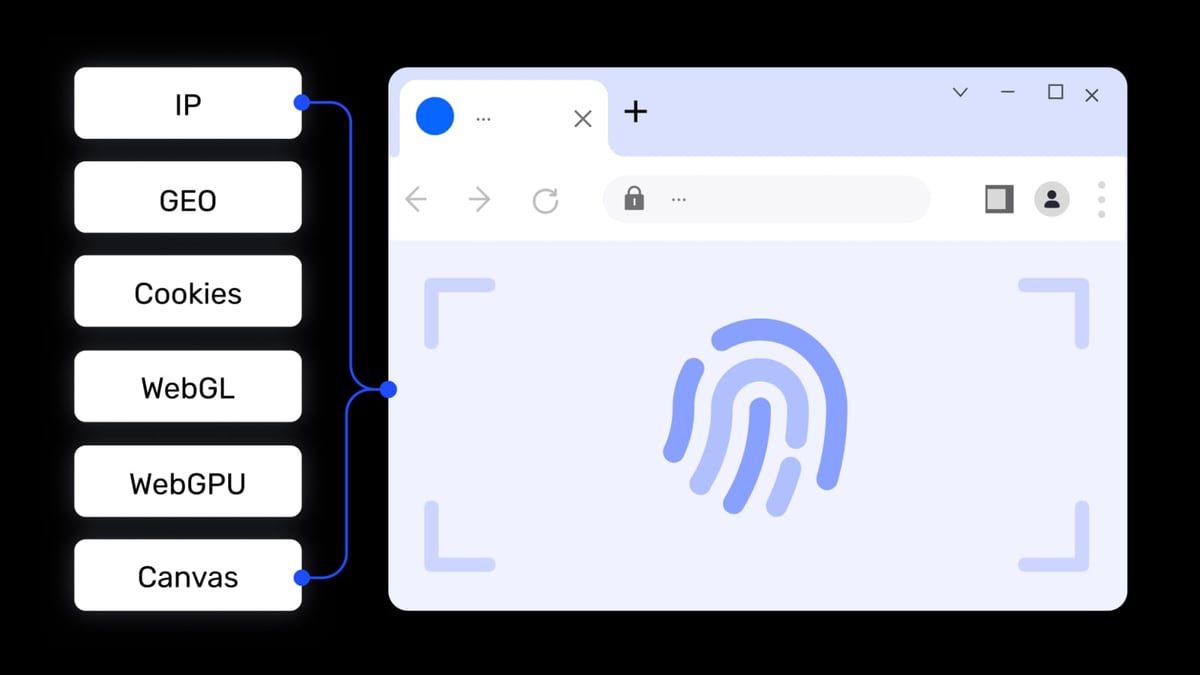
Shopify gives you everything you need to build a brand: themes, checkout, shipping, and multi‑channel selling. But it doesn’t provide a built‑in way to mask browser fingerprints when you log into multiple stores on the same computer. Web browsers leak details like Canvas hash, WebGL renderer, audio stack, and installed fonts. Platforms frequently use these signals to detect that the same person is behind multiple accounts. AdsPower intercepts those signals and replaces them with unique, realistic profiles for each store.
When you combine Shopify with AdsPower, you get:
This combination turns a single PC into a risk‑free multi‑store command center, whether you’re running 3 niche stores or 30 dropshipping brands.
Manage Multiple Shopify Stores with AdsPower Fingerprint Browser product interface and feature overview.
Before diving into the setup, make sure you have:
Manage Multiple Shopify Stores with AdsPower Fingerprint Browser product interface and feature overview.
We’ll start from scratch and build one browser profile per Shopify store. Once you master the pattern, replicating it takes less than a minute.
Visit the AdsPower official site and register. After email verification, download the client for your OS and install it. Log in with your credentials.
Inside the AdsPower dashboard, click Profiles → New profile. You’ll see a form where you can define every aspect of the browser environment.
This is where AdsPower earns its name. Under Fingerprint settings, you can either let the browser generate a random fingerprint based on the proxy IP, or manually fine‑tune each parameter. For Shopify, I recommend using the automatic “Match proxy” option, then manually reviewing a handful of key parameters:
All these settings together create a truly unique digital fingerprint that passes browserleaks.com checks (as demonstrated in a Shopify Community discussion on anti‑detection tools).
Click the Proxy tab and select your proxy type (HTTP, HTTPS, SOCKS5, or SSH). Enter the IP, port, username, and password. Test the connection right from the interface to make sure the proxy is alive and the geographic location matches your store’s target market.
Binding a dedicated IP to each store is non‑negotiable. Shopify itself doesn’t block shared IPs, but payment providers like Stripe, PayPal, or local gateways absolutely notice when an account suddenly logs in from 5 different countries in a week. A static proxy for each store paints a consistent picture.
If you need step‑by‑step proxy setup instructions for specific providers, our guide on how to use AdsPower with Proxyrack covers the same principles that apply to any proxy service.
Save the profile and click Open. AdsPower will spin up a fresh browser window with the fingerprint and proxy you defined. Navigate to your Shopify admin login page and sign in normally. Complete any 2FA challenges. Bookmark the admin URL inside the profile for quick access later. Do ordinary store tasks—check orders, update products—and then close the window. Everything (cookies, history, and local data) is encrypted and stored inside the profile.
Go back to Profiles → New profile and repeat steps 2–5 for every Shopify store you own. Use consistent naming and group assignments. With a handful of profiles, you can keep a mental map; with dozens, the group and tag features become essential.
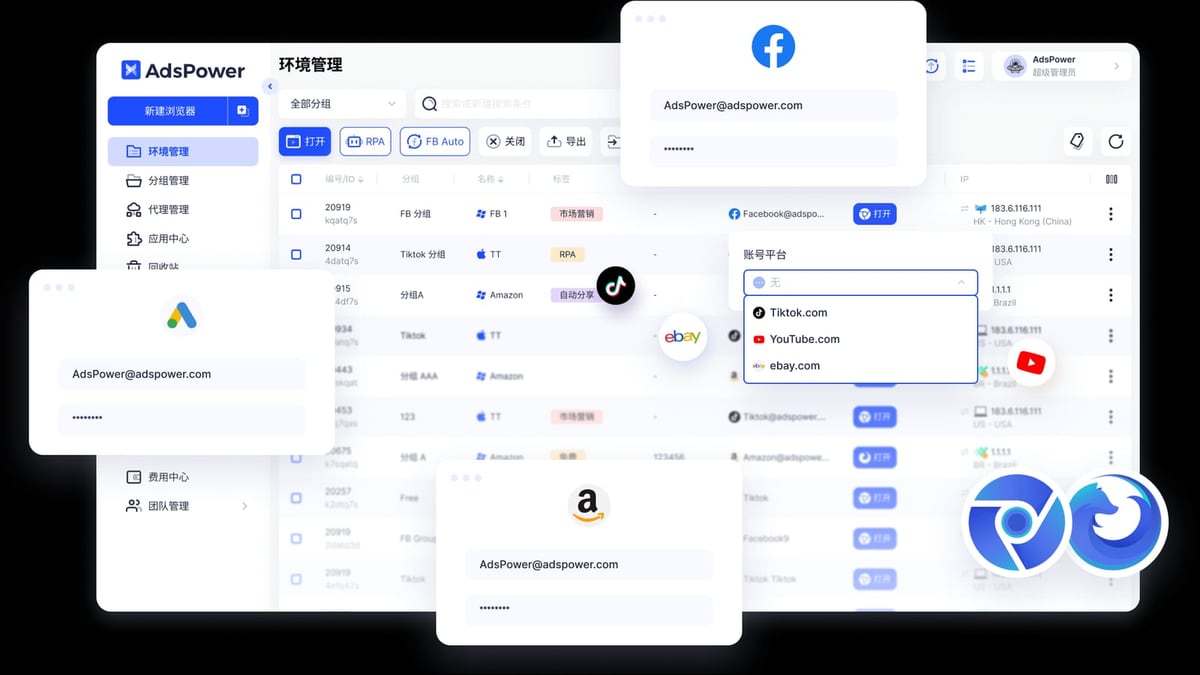
Manage Multiple Shopify Stores with AdsPower Fingerprint Browser product interface and feature overview.
Once the profiles are built, you’re not just switching between Chrome windows—you’re orchestrating a secure multi‑store operation. Here’s how to push efficiency further.
Select multiple profiles in the dashboard and click Open. All the browser windows launch at once. If you need to perform the same action across several stores—say, changing the announcement bar for a holiday promotion—use Window Sync. You manually type in one window, and AdsPower replays your mouse movements, clicks, and keystrokes across all selected windows simultaneously. This is a lifesaver for bulk updates, not for automated scripts.
AdsPower’s built‑in RPA (Robotic Process Automation) feature lets you record and schedule repetitive tasks. For example, you can create an RPA robot that:
You can schedule this robot to run daily at 2 a.m., or trigger it manually. This is perfect for inventory synchronization across multiple suppliers, daily sales reports, or bulk price changes. Because the RPA runs inside the isolated profile, each session maintains its own fingerprint and proxy—there’s no risk of cross‑store contamination. For developers, the Local API also supports Selenium, Puppeteer, and Playwright, allowing custom scripts that leverage AdsPower’s fingerprint infrastructure.
When you have VAs managing certain stores, you don’t want them to see passwords or accidentally enter the wrong account. AdsPower lets you add team members and assign them specific profiles. You can define roles:
The login log records the IP and location every time a profile is accessed, so you always know who opened which store and from where. If a team member leaves, you can instantly revoke their access without changing any Shopify passwords.
Dropshipping portfolio owner – Alex runs 12 niche Shopify stores, each targeting a different European country. He uses AdsPower with 12 static residential proxies (one per country) and unique browser fingerprints. Window Sync helps him apply the same discount code to all stores in under a minute. Because every store appears to Shopify and payment gateways as a separate merchant on a separate device, none of his stores have ever been linked or suspended.
Brand manager – Sophia’s team handles 3 consumer brands for a corporate group. Each brand has its own Shopify Plus store. With AdsPower, Sophia gives her junior marketer access to only the “NatureCosmetics” store’s profile, while the finance team accesses only the reporting profile that pulls order data. Sensitive payment details stay hidden, and the isolated environments prevent accidental cross‑posting between brands.
Affiliate marketer running Shopify partner stores – Miguel operates multiple Shopify stores that function as landing pages for affiliate products. He uses AdsPower’s RPA to fetch daily conversion data from affiliate networks and update product descriptions automatically. The API integration lets his custom dashboard pull order statuses from all stores without logging into any of them directly.
If you’re evaluating alternatives like Multilogin or Genlogin, a few differentiators matter for Shopify users:
For a detailed breakdown of how AdsPower stacks up against its top rivals, read our AdsPower vs Multilogin vs Genlogin comparison.
Shopify’s terms of service do not forbid owning multiple stores. The risk comes from third‑party payment processors and advertising platforms that consider shared fingerprints as suspicious. Using an anti‑detect browser like AdsPower mitigates that risk rather than violating any rule.
There’s no technical limit on the number of profiles. The free plan gives you 2 environments; paid plans scale from a few dozen to thousands. The practical limit is your proxy budget and how many stores you can actually manage.
Technically yes, but it’s strongly discouraged. Without a separate IP per store, your traffic still originates from the same public IP, making fingerprint isolation far less effective. A dedicated proxy completes the isolation.
Yes. The desktop client supports Windows, macOS, and Linux. Mobile versions for Android and iOS are also available.
AdsPower creates a real‑world browser environment with no detectable markers that it’s a modified browser. It uses unmodified Chromium or Firefox engines; it only alters the fingerprint information that’s sent to websites, not the browser’s behavior. When configured correctly, your store’s admin panel behaves exactly like a standard Chrome window.
Managing multiple Shopify stores doesn’t have to be a high‑wire act of isolated devices, multiple laptops, or risky virtual machines. AdsPower fingerprint browser lets you run every store in its own secure bubble, with dedicated fingerprints, proxies, and automated workflows, all from a single computer. The setup is straightforward, and the time saved through batch operations and RPA pays for the subscription many times over.
Whether you’re scaling a dropshipping portfolio, operating distinct brands, or testing new markets, the AdsPower–Shopify combination gives you the freedom to grow without the fear of bans. For more tool comparisons and privacy‑first workflow guides, explore the benchmarks and reviews at AdsPower.
Start with the free 2‑profile plan on AdsPower’s website and set up your first isolated Shopify store today.


