
AdsPower vs ClonBrowser: Which Anti-Detect Browser Wins?
Nov 18, 2026
Running one Shopify store is manageable. Running five, ten, or fifty is a different job entirely. Every login, every admin session, and every marketing account tied to those stores creates a fingerprint trail that platforms can link back to a single device. AdsPower solves the device side of that problem by giving each store its own isolated browser identity, while Shopify handles the storefront, checkout, and operations layer.
This guide explains how the two fit together, how to set them up step by step, and where the combination actually saves time and reduces risk.
Shopify product interface.
Shopify itself is a hosting and commerce platform, not a gatekeeper that bans you for logging into two stores from one laptop. The risk comes from everything around the store: the ad accounts, the social profiles, the payment dashboards, the supplier portals, and the analytics tools you connect.
When those services see the same Canvas hash, WebGL renderer, time zone, and IP address across dozens of logins, they start grouping accounts. That grouping is what triggers reviews, ad rejections, and payout holds.
AdsPower creates a separate browser profile for each store. Each profile carries its own fingerprint values, its own cookie jar, and its own proxy. From the platform's perspective, each store is operated from a different real machine in a different location.
If you want a broader look at how these tools differ before committing, the AdsPower vs MuLogin vs Incogniton comparison breaks down fingerprint quality, automation, and pricing side by side.
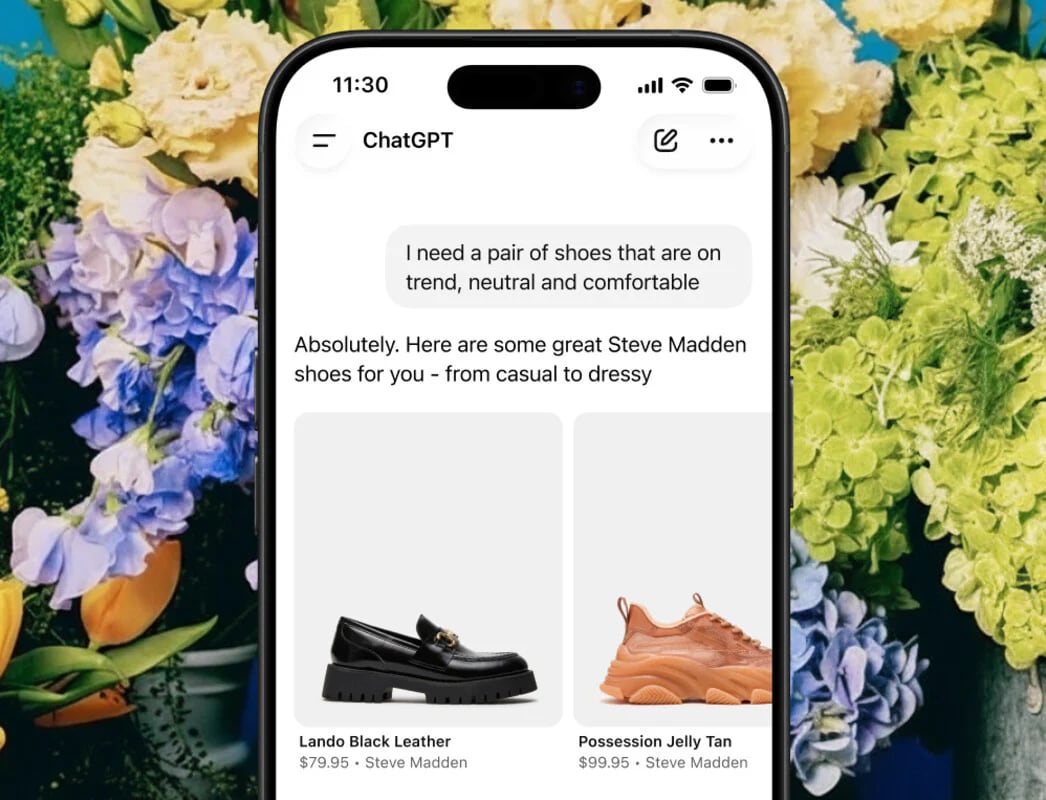
Shopify product interface.
Think of the stack in three layers.
| Layer | Tool | Job |
|---|---|---|
| Storefront and operations | Shopify | Products, checkout, payments, inventory, fulfillment |
| Identity and access | AdsPower | Isolated browser profiles, fingerprints, proxies, team permissions |
| Traffic and promotion | Ad and social accounts | Facebook, TikTok, Google, affiliate networks |
AdsPower does not replace Shopify. It sits in front of it. You open a profile, log into that store's Shopify admin, and work normally. The difference is that the next store opens in a completely separate profile with no shared state.
This matters most for sellers running niche store clusters, dropshipping portfolios, or regional storefronts under Shopify Markets. It also matters for agencies managing client stores, where one accidental cookie crossover can compromise several accounts at once.
The discipline is simple: one store, one profile, one proxy, always. Never log into Store B inside Store A's profile, even once.

Shopify product interface.
Before touching AdsPower, decide on your proxy strategy. Residential or mobile proxies are the safer choice for e-commerce work because they look like real consumer connections. Datacenter proxies are cheaper but easier to flag.
Match proxy geography to the store's target market. A US-facing store should run through a US proxy, ideally in or near the city you want to appear from. If you are still choosing a provider, the AdsPower with Decodo setup guide walks through proxy types, rotation, and troubleshooting.
In the AdsPower dashboard, create a new profile. Give it a clear name such as store-us-outdoor-01 rather than something generic. Clear naming pays off once you pass twenty profiles.
During creation you can either let AdsPower generate fingerprint values automatically or configure them manually. For most sellers, automatic generation with a fixed proxy is the right balance of safety and effort.
Enter your proxy details in the profile settings: protocol, host, port, username, and password. AdsPower supports HTTP, HTTPS, and SOCKS5.
Use the built-in proxy check to confirm the connection works and to see the detected location. If the detected country does not match your store's market, fix it before you log in. Logging into a US store through a German IP on day one is exactly the kind of inconsistency that looks suspicious.
Open the profile and visit a fingerprint testing site. Check that the time zone, language, and WebGL values are consistent with the proxy location. Inconsistencies here are the most common cause of avoidable flags.
Now open the Shopify admin and sign in. Complete any two-factor authentication prompt. AdsPower supports 2FA session locking, which keeps the authenticated session tied to that profile so teammates cannot accidentally trigger a re-verification from a different environment.
Group profiles by client, region, niche, or store stage. Tags make bulk operations possible later, such as opening ten profiles at once or applying a script to a whole group.
If you work with VAs or a media buying team, invite them through AdsPower's teamwork features. Use the administrator, manager, and member tiers so that junior staff can operate stores without being able to delete profiles or change proxy settings.
How to Use AdsPower with Shopify: Multi-Store Setup Guide - Practical Examples.
A seller runs eight Shopify stores across three niches. Each store has its own AdsPower profile, its own residential proxy in the target country, and its own Facebook ad account. When one store's ad account gets restricted, the other seven are unaffected because nothing is shared.
An agency handles Shopify builds for twelve clients. Each client gets a profile group. Staff members are assigned to groups rather than to individual profiles, and activity logs show who accessed which store and when. Client data never crosses between profiles.
A brand sells to the US, UK, and Australia through localized storefronts. Each region runs in its own profile with a matching local proxy, so pricing tests, ad campaigns, and search rankings are measured from the correct location rather than from a single head office IP.
Once profiles are stable, automation removes most of the repetitive work.
A realistic example: a seller updates prices across forty stores every Monday. Manually, that is hours of logging in and out. With a batch script triggered through the Local API, it becomes a single operation that runs while the team does something else.
AdsPower has also introduced an AI Agent for conversational automation, which lowers the barrier for sellers who are not comfortable writing scripts.
If you are still building out the store side of your operation, the cross-border e-commerce beginner guide covers product selection, logistics, and multi-store operations in more depth.
AdsPower with Shopify is worth the setup effort if you answer yes to any of these:
If you run exactly one store and one ad account from one location, a standard browser is fine. The value of AdsPower scales with the number of identities you need to keep separate.
Shopify does not prohibit anti-detect browsers. The tool isolates browser environments; it does not violate Shopify's terms on its own. What matters is that you follow the rules of every platform you operate on, including advertising networks and payment providers.
Yes. That is the core use case. Each store runs in its own AdsPower profile with its own fingerprint and proxy, so the stores never share cookies or device signals.
For serious multi-store operations, yes. Sharing a proxy across profiles links them at the network level, which undermines the isolation you set up.
Yes. AdsPower's teamwork plans support role-based access, so team members can operate assigned profiles without seeing or modifying others. Activity logs record who did what.
Common automations include bulk logins, scheduled product or price updates, routine settings changes, and repetitive admin tasks. RPA, Local API, and the AI Agent cover different levels of technical comfort.
It depends on your plan. AdsPower offers a free plan for getting started and paid tiers that scale profile count, team seats, and automation limits. Check current plan details before committing to a large portfolio.
AdsPower and Shopify solve two different halves of the same problem. Shopify gives you the storefront, payments, and operations infrastructure. AdsPower gives you clean, separate identities for every store and every account connected to it.
Set it up properly once, one profile per store with a matching proxy, and the daily workflow becomes routine: open a profile, work the store, close it, move on. The isolation does the protective work in the background so your team can focus on products and traffic instead of account recovery.
Start with your highest-risk store, build the habit, then scale the system across the rest of your portfolio.


