
AdsPower vs ClonBrowser: Which Anti-Detect Browser Wins?
Nov 18, 2026
Managing multiple online accounts without triggering platform bans is a two-part problem. You need a browser environment that looks like a real, unique device, and you need a phone number that platforms will accept for verification. AdsPower solves the first problem by creating isolated browser profiles with distinct digital fingerprints. Textverified solves the second by supplying temporary, non-VoIP US numbers that can receive SMS and voice codes.
Used together, they form a practical stack for creating and operating accounts on Google, Ticketmaster, Tinder, Cash App, social platforms, and e-commerce sites without exposing your personal phone number or linking accounts through shared browser fingerprints.
This guide walks through why the combination works, how to set it up step by step, and how to avoid the most common verification failures.

Textverified product interface.
Platforms detect multi-account activity through two main signals: browser fingerprints and phone numbers.
AdsPower isolates each account in its own browser profile. Every profile gets a unique Canvas hash, WebGL renderer, user agent, timezone, language, and other parameters that make it appear as a separate physical device. When you open ten profiles, platforms see ten different machines, not one computer with ten tabs.
Textverified handles the second signal. Personal phone numbers are a liability in multi-account workflows: reusing one number across accounts creates an instant link, and many platforms now reject VoIP numbers outright. Textverified provides private, non-VoIP US numbers that are not shared across users, so each account gets a clean verification path.
The combined workflow looks like this:
The result is an account that appears to belong to a real person on a real device with a real phone number, while your actual identity and personal number stay private.
Textverified product interface.
Start by opening AdsPower and clicking New Profile. You can create profiles individually or use the batch creation feature when you need many accounts at once.
Key settings to configure:
Gmail-Account-01 or Tinder-US-04.Once the profile is configured, save it and launch the browser environment.
Textverified product interface.
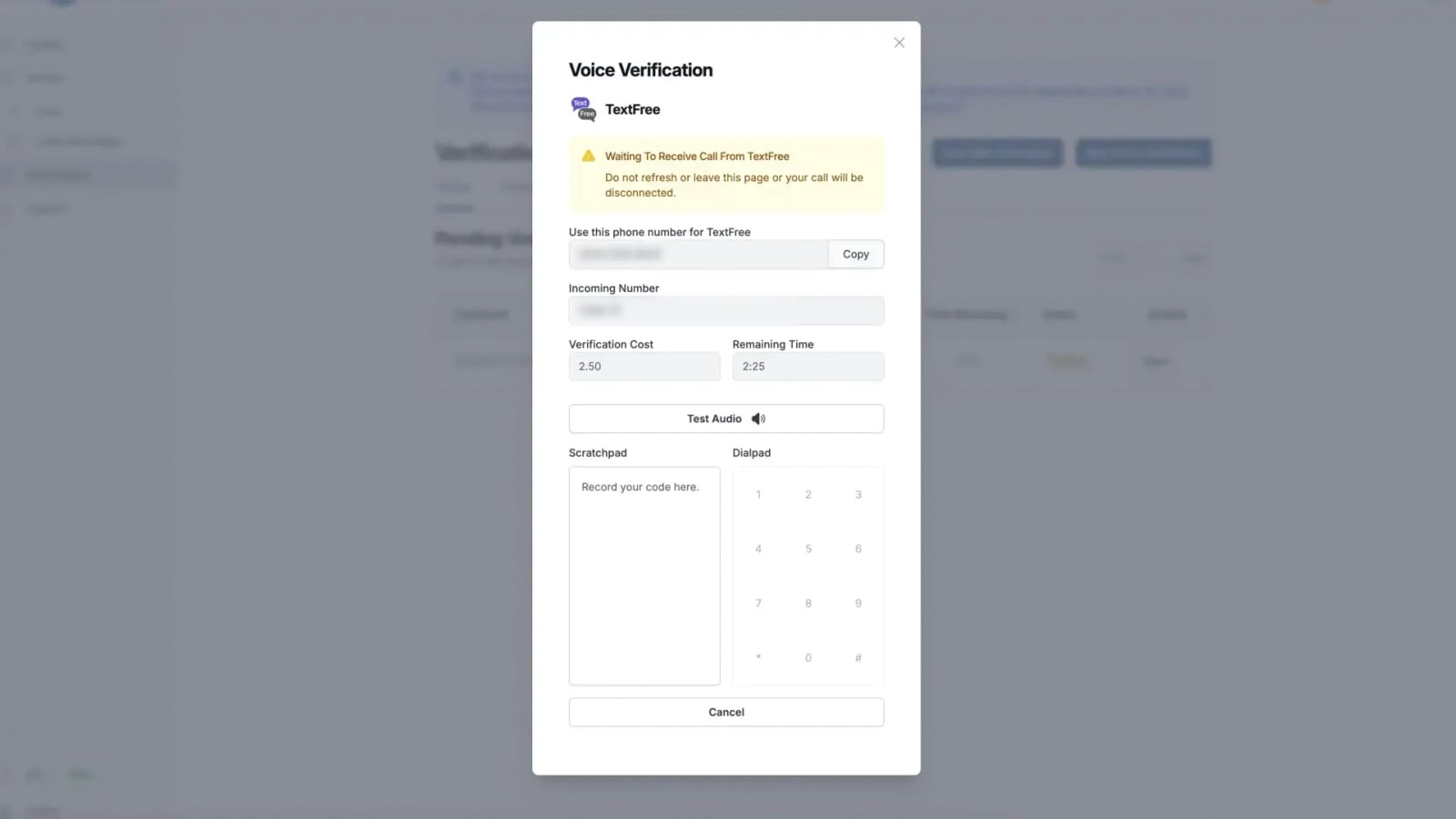
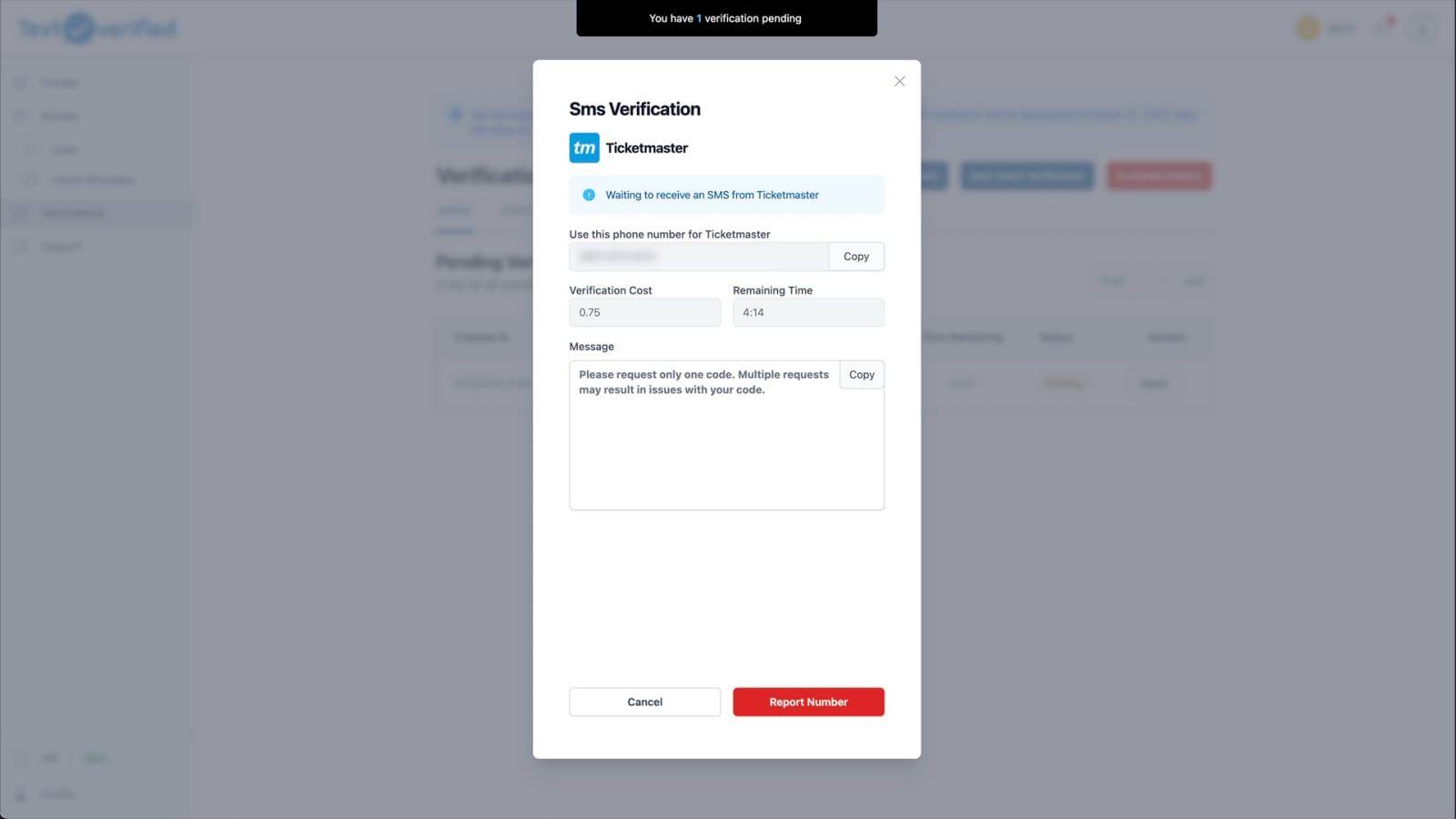
Timing matters. Textverified numbers are rented for a specific duration, and verification codes usually arrive within seconds. Rent the number right before the platform asks for it, not hours in advance.
Here is the process:
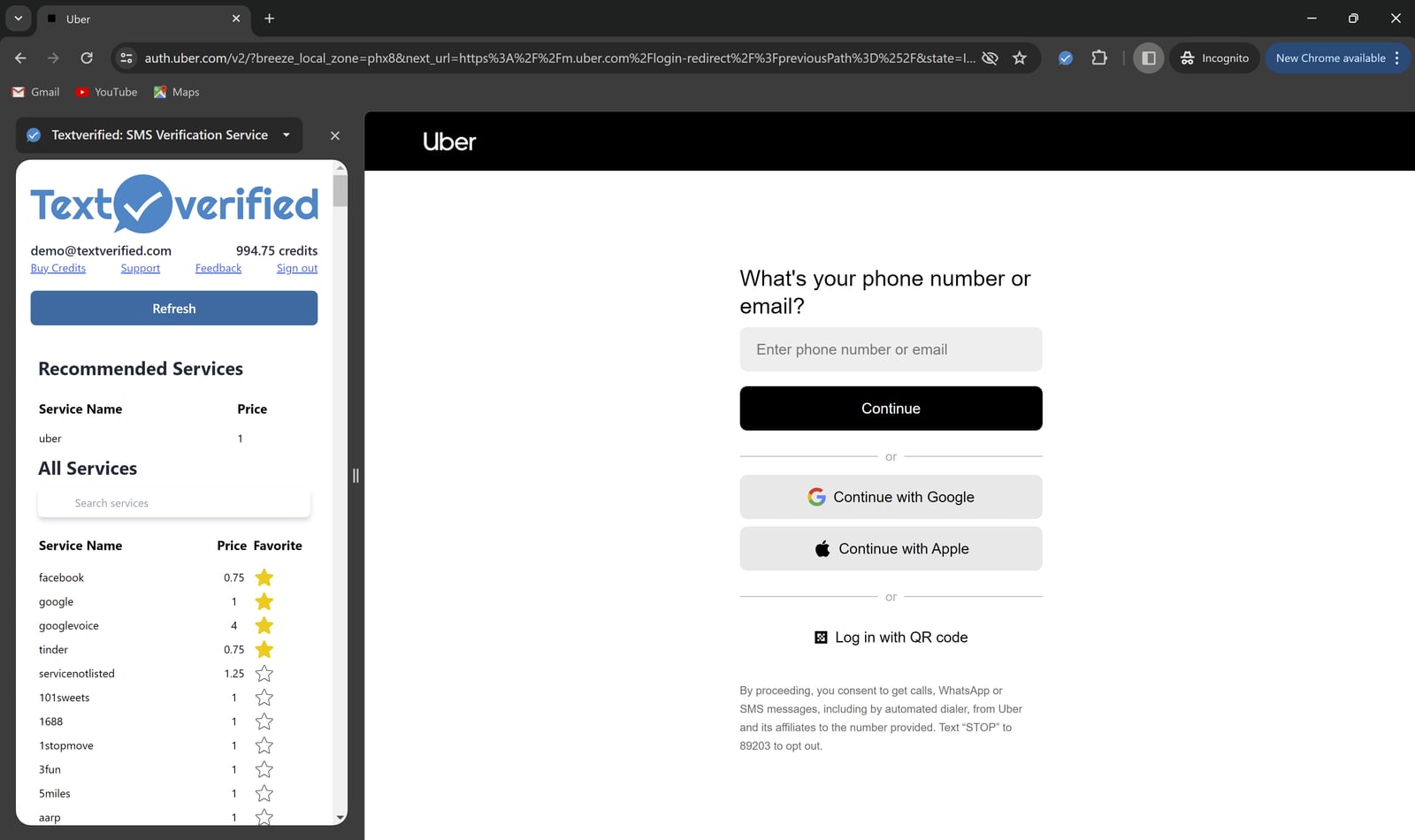
Textverified also offers a Chrome extension that displays available numbers and incoming codes directly in the browser. If you are running many AdsPower profiles, the extension can save significant time by eliminating the need to switch back to the dashboard for every code.
With the profile open and the Textverified number ready, proceed through the platform's registration flow:
If the code does not arrive within a few minutes, Textverified's no-charge policy means you are not billed for failed verifications. You can request a different number and try again.
Google is one of the most common verification targets, and it is also one of the strictest. Here is a complete example workflow:
Gmail-US-01 with a US-based residential proxy and a fresh fingerprint.This same pattern applies to Ticketmaster, Tinder, Cash App, Instagram, and most other platforms that require phone verification. The only variable is which service you select in Textverified and which proxy location you assign in AdsPower.
For teams that need to create accounts at scale, the manual workflow above becomes a bottleneck. AdsPower and Textverified both offer automation options that can be combined.
AdsPower provides RPA tools and a Local API that integrates with Selenium and Puppeteer. You can script the entire registration flow: open a profile, fill the form, pause at the verification step, and wait for input. Textverified offers its own API for renting numbers and retrieving codes programmatically.
A basic automated flow looks like this:
This approach requires some development effort, but it removes the manual overhead from high-volume operations. If you are new to browser automation, this overview of web automation tools and use cases is a useful starting point.
This can happen when a number has been used too many times or when the platform has flagged a specific number range. Request a replacement number in Textverified and try again. If the problem persists, switch from SMS to voice verification, which sometimes bypasses SMS-based filtering.
Check that the AdsPower profile's proxy is still active and that the IP location matches the number's country. A mismatch between IP and phone country is one of the most common reasons platforms silently drop verification codes. Textverified does not charge for codes that never arrive, so you can safely retry.
Fresh accounts are fragile. After verification, keep the account inside its AdsPower profile and avoid aggressive actions like mass following, bulk messaging, or rapid purchases. Use the account normally for a few days before scaling activity. Keeping the Textverified number rented for the first week can also help if the platform requests re-verification.
Some platforms have stricter number filtering than others. Community reports, such as this BlackHatWorld discussion on Instagram SMS incompatibilities, show that a service that works for Gmail may occasionally fail for Instagram. The solution is usually to request a different number or switch to voice verification rather than abandoning the workflow entirely.
Textverified product interface.
You might wonder whether you need both tools or whether one alone is sufficient.
AdsPower alone handles fingerprint isolation, but it cannot verify phone numbers. You would need to supply your own numbers, which means either using personal numbers or buying SIM cards, both of which have scaling limits and privacy drawbacks.
Textverified alone gives you verification numbers, but without isolated browser profiles, every account you create shares the same fingerprint. Platforms will link those accounts quickly, and bans will cascade.
Alternative anti-detect browsers can substitute for AdsPower, and alternative SMS services can substitute for Textverified. The core principle remains the same: isolate the fingerprint and isolate the phone number. If you are evaluating browser options, this comparison of AdsPower, Multilogin, and Genlogin breaks down the key differences in fingerprint isolation, automation, and pricing.
Yes. A proxy is strongly recommended. The proxy's location should match the country of the Textverified number. A US number entered from a non-US IP is a common trigger for verification failures and account flags.
No. Reusing a phone number across accounts creates a direct link between them. Rent a separate number for each account you create. Textverified's private number pool is designed for this purpose.
For most accounts, a one-time verification is sufficient at creation. However, if you expect the platform to challenge the account later, such as Google's occasional re-verification prompts, a longer rental gives you a safety net. Monthly and yearly rentals are available if you need persistent access to the number.
Textverified supports a wide range of services, including Google, Ticketmaster, Tinder, Cash App, and social media platforms. No SMS service guarantees 100% success on every platform, but Textverified's no-charge policy for undelivered codes means failed attempts do not cost you money.
Yes. AdsPower offers RPA tools and a Local API for Selenium and Puppeteer integration. Textverified provides an API for renting numbers and retrieving codes. Combined, they enable scripted account creation at scale.
AdsPower and Textverified address two halves of the same challenge. AdsPower makes each account look like it lives on a separate, real device. Textverified makes each account verifiable without exposing your personal number or reusing numbers across accounts. Together, they create a workflow that is more resistant to bans, easier to scale, and far more private than using either tool alone.
The setup is straightforward: create an isolated AdsPower profile with a geo-matched proxy, rent a Textverified number at the moment of verification, enter the code, and keep the number active if the account may need future challenges. For high-volume teams, both platforms offer APIs that turn this manual process into an automated pipeline.
Start with a single test account on a low-risk platform, confirm the workflow end to end, then scale up with batch profile creation and API-driven verification.


